





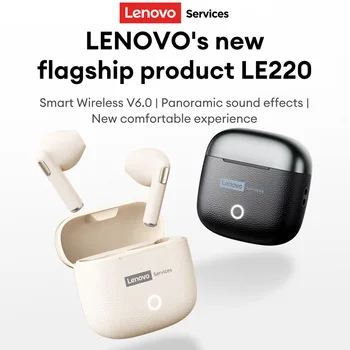
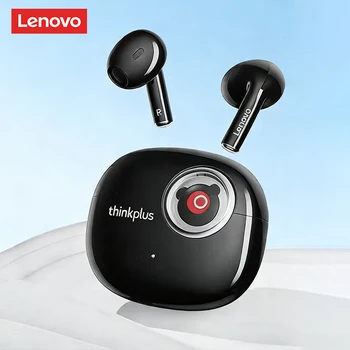
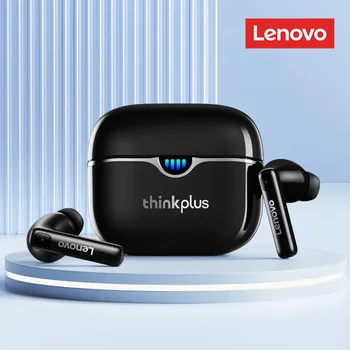
Lenovo Original LE218 Wireless Headphones Power LED Display 24hours Endurance HiFi Gaming Headsets Waterproof Sports Earbuds(For more information about headphones, please refer to the end of the article)
Product Specifications:
Brand Name:Lenovo
Product Name: Lenovo Services LE218 Wireless Earphone
Model: LE218
Color: Retro Brown/Cream Beige
Audio Decoding Format: AAC/SBC
Communication Range: Approximately 10 meters
Version: V6.0 indoors (unobstructed)
Frequency: 20Hz-20kHz
Charging Voltage: 5V
Charging Port: Type-C
Charging Time: Approximately 1.5 hours
Play Time: Approximately 4 hours (at 50% volume)
Battery Life (including charging cradle): Approximately 25 hours
Earphone Battery Capacity: 30mAh
Charging cradle Battery Capacity: 250mAh
Package Included:
2* Bluetooth Earphones
1* Charging Case
1* Type-C Cable
1* User Manual
This is a vintage CCD wireless earphone
Retro camera-style charging case + digital display + quality sound for premium audio experience.


 Powerful sound quality Live-level ambiance
 This earphoneadopts fine and stable optimization of the half in ear angle, closely fits the ear structure and is lightweight, comfortable, durable and not easy to fall off.
 Mini lightweight earphones
 13mm polymer diaphragm
 Retro style falls in love at first sight
 4-microphone ENC intelligent noise reduction
 Long battery life
 Wireless 6.0: less quality loss/delay, better anti-interference/connection, 10m Bluetooth.


FAQ:
Q: What should I do if the headset received unable to turn on?
A: Confirm that the charging case has power left.If charging case power off, please put the earphones in charge case and charging for 1 hour and try again.
Q: What should I do if Sound comes from only one earphone?
A: Put both earphones back into the charging case and close the cover, then take them out again to check whether both ears have sound. If only one earphone still has sound, please restore the factory settings for both earphones.
Q: How to solve the problem that the mobile phone prompts that it cannot connect?
A: Delete the pairing record on the mobile phone, and then search for pairing and connect again.
Q: How to solve the problem that there is no sound when listening to music or calling?
A: There is a settings icon on the right side of the Bluetooth connection name on Android phones. Click to enter, turn off the mobile phone audio and media audio, and then turn them on again. If there is still no sound, please re-pair the earphones with the mobile phone.
Q: Why is there a delay in video or games?
A: Affected by factors such as the use environment, network and mobile phone Codec, there will be different degrees of delay when the mobile phone transmits audio data to the earphone.
Q: How to solve the problem of stuck or intermittent sound?
A: If there are a lot of Wi-Fi, 5G or 4G signals, high-power electrical appliances around, it may cause stuck and intermittent sound. Please Change the environment or re-pairing can solve the problem.
Other Tips:
1. Before using the earbuds, please read the manual carefully and keep it for future references.
2. The earbuds need to be fully charged prior to first-time use.
3. lf the earbuds are left unused for over two weeks, please recharge.
4. Please use the chargers made by qualified manufacturer.
5. lf earbuds fail to be found by phone, please re-turn them connectable or restore factory settings.
6. lf a program error of phone occurs, please turn off and on Bluetooth function or reboot the phone.
FAQ:
1. Are they comfortable while wearing?
Yes. The headphones are sized to fit most people’s ear size and provide more convenience while maintaining comfort.
2.2. Do they pair automatically with the phone or do I have to connect manually each time?
Yes, of course. It will automatically connect with your device after first-time use.
3.3. How long does it take to fully charge?
Generally, 1.5 hours is enough to get it fully charged for earphones and 1 hour for earphones compartment.
4. Does this have a built-in microphone?
Yes, a built-in microphone is made for clear talks.
5. Is this sound leak serious?
As long as the volume is not the maximum, there will be no leakage of sound. As for the health of the ear, you should also avoid using the maximum volume for a long time.
-350x350.)
Real customer reviews