


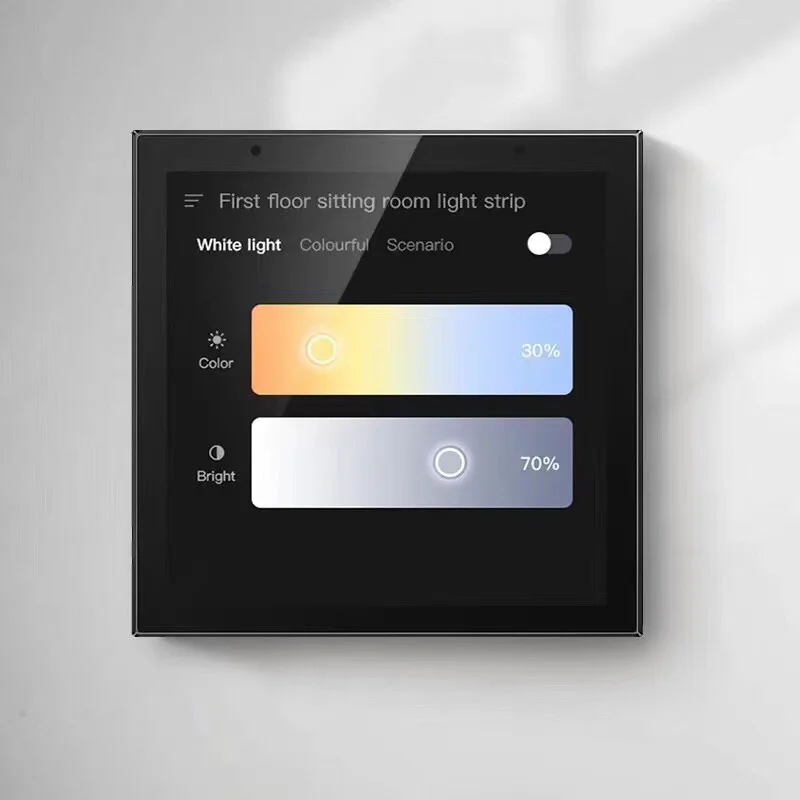
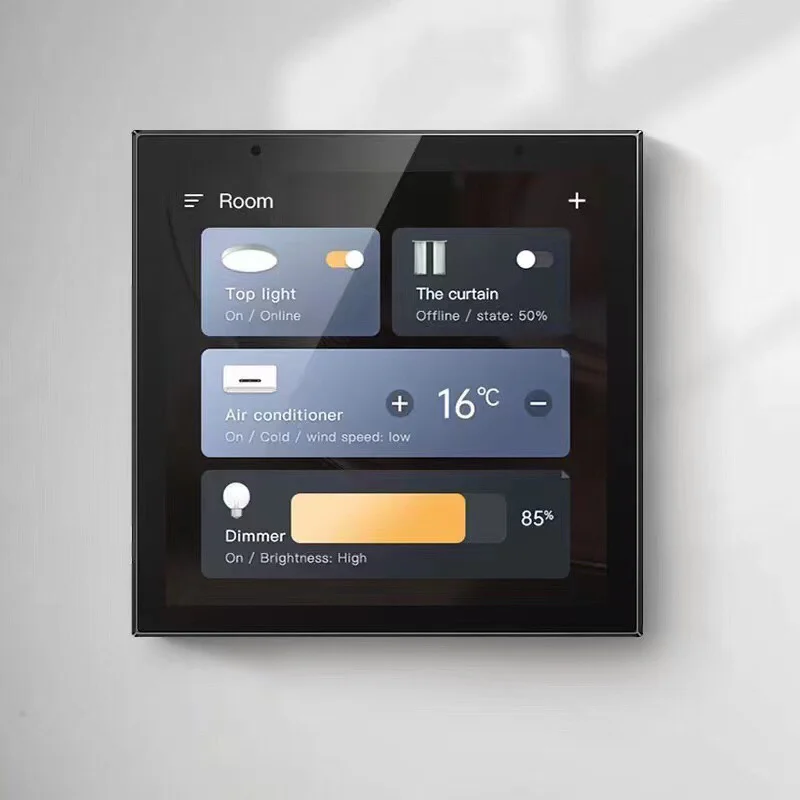


Tuya Central Control Zigbee English Central Control Smart Home Host Background Music Voice Central Control Tuya Smart Life
PLEASE NOTE:This product is our latest new product on the market. The UI interface currently supports Chinese and English to choose from. Voice wake-up currently only supports Chinese. The data package of various languages is being upgraded and developed. It can be operated normally on the mobile phone or on the panel. Function, other functions are normal!!!
Product Details:The company’s intelligent background music host adopts a 4-inch HD digital display (480 * 480 IPS HD resolution display), with a multi-capacitive touch.with Tuya Smart APP.
Quickly check whether doors are locked and either unlock or lock any door from one menu. Arm/Disarm your security system or alert emergency personnel
Now includes camera pop-up on event, shades category, “all off” lighting, and more free upgrades.
What matter where you are, just use your smart phone Tuya smart APP, you can control all of smart home appliances. And you also can set home model and leave home modle.Everything be easier.


Product Manual
1,Host function introduction
4 ” TFT digital high cleaning screen;
Support the double wheat voice control function;
Support voice search for songs, news, stories, children’s books, weather forecast;
Access to the Tuya smart life;
Mobile phone APP control;
Support for Bluetooth function;
Support for audio input and output functions;
Support the external equipment to control the local computer through the 485;
Support for the TF card;
Support the timing switch machine;
2,Host parameters
power input | AC90-250V | LCD | 4-inch TFT digital HD screen |
Output impedance | 8Ω | Output Power | 2*20W |
Voice distance | 5M | WIFI | support (≥30m,≤50m) |
Audio input(AUX) | ONE | Audio output | ONE |
Bluetooth audio push | support | Video output | ONE |
Line box opening size | 86*86*30mm | Product Size | 86*86mm |
3,the host appearance wiring description
Digital wheat: 2 array digital wheat;
Power button: Press this button for 3 seconds, press this button for 3 seconds in the power-on, short press to go to sleep again, and then call it again;
Display;
4.TF card insert: TF card shortup is inserted to the right, up to 32G capacity;
5.mini USB socket;
Power input line: two copper core wires, single copper cores 0.75 square or more;
Doorbell interface: triggering the doorbell control line;
Video input
9.Aux audio input: audio cable (two-core shield line: commonly known as microphone line), RVVP2x0.5, RVVP2x0.75;
10. 485 control line: two copper core wire, single copper core 0.75 square or more;
Audio output: coaxial (one core shield line: commonly known as the same axis);
Trumpet left and right channel output: speaker cable (commonly known as gold and silver wire);
4,the operating instructions
4.1 The interface after the boot is as follows:
This system interface is first reflected in the mainframe, which can be seen from the above figure, which contains a variety of different applications. The interface, operation and function of the entire system will be described in detail below.
4.2 Host function use introduction
4.2.1,music
Click ” music> at the main interface to enter the music play main menu (can play the music in the memory card)
Click the icon to switch the playback mode (single play, random play, sequential play, single cycle, all cycle);
Click on the icon to switch the sound mode (normal, rock, classic, jazz, popular);
4.2.2 movie
Click the movie in the main interface to enter the movie main interface, and you can choose the video in the SD card for play;
4.2.3 Bluetooth
Open the Bluetooth on the host, open the Bluetooth of the mobile phone and other devices, search to 86-BT for connection. After the successful connection, open the music player of the mobile phone and can play music to the host;
4.2.4 AUX
Click
4.3 Intelligent control
Open intelligent control and click pairing; the host scene can be set;
Pairing step:
4.3.1 Download and install “graffiti intelligence” in the mobile application mall
4.3.2 When the host enters the WIFI distribution network state, click the matching button to match.
4.3.3 Open the “graffiti intelligence” software on the phone side, click “+” in the upper right corner, and select the scene switch (WiFi) (only 2.4G router, temporarily not 5G)
4.3.4 Wait quietly for 1-2 minutes, and then the Smart Voice Central Control display is displayed.
4.3.5 After the above, the added device was successful (so does the smart device). restart if the device is not found Step-up steps above.
4.3.6 After adding successfully, you can awaken the machine. Wake up the word “little wisdom housekeeper”. After hearing the answer, directly to the content of the communication.
Scene setting: scene 1-16 in graffiti APP. After pressing 1-16 places, add a scene, select local additional instruction, add N instructions at the same time, and insert 1 second. The control instructions of other devices can be added and renamed after adding them. A wake word is a life noun.
Specify playback, with up to 20 folders in the TF card, named “direct1” to “direct 20”, indicating the specified playback 1-20 and several music files in the folder. After binding the scene, you will play the content in different folders according to the scene
The device control in Tuya APP reaches device control 10, and there are 20 commands under each device control.
Bind to the scene, it can be operated in three ways: Tuya APP, host panel, and voice wake-up. After the operation, the host receives the command and will send it out via RS485.
RS485 forwarding protocol
Data head | Equipment Control Number (Corresponding Equipment Control-Equipment Control 10 | Command (Corresponding to Command 1-Command 20) | Checksum (Equipment Control No. + command) | Data tail | ||
0xFC | 0x01-0x0A | 0x01-0x14 | 0x02-0x1E | 0xFE | ||
For example: | ||||||
equipment control | 8Command 8 | Send data | 0xFC 0x01 0x08 0x09 0xFE | |||
10Equipment Control 10 | 20Command 20 | Send data | 0xFC 0x0A 0x14 0x1E 0xFE | |||
4.4 folder
Open the folder to see the files in the memory card;
4.5 clock
Open the clock settings to set the time and date
4.6 set up
Click on the main interface settings to enter the setup menu
Settings: including language settings, theme style, backlight brightness, screensavers, start-up music, sound mode, room number, product information, factory reset, start-up volume, and timed on/off;
The language setting can be set in English or Chinese;
The theme style can switch the background style;
The brightness of the backlight can be adjusted to the brightness of the host;
The screen saver can adjust the screen saver holding time (30 seconds, 1 minute, 5 minutes, 15 minutes, 30 minutes, etc.);
It can be set to play the specified music after booting;
The sound effect setting can set a variety of sound effect modes (default mode, classic mode, rock mode, popular mode, jazz mode);
Room number: the room number can be set;
Product information: you can see the host product information;
Restore factory settings: Click to restore factory settings and it will prompt “Restore to factory settings?” Click Yes to restore factory settings;
Power-on volume: The default volume of power-on can be set; To
Timing boot: five levels of timing boot can be set;
Timing shutdown: five levels of timing shutdown can be set;

-350x350.)



Real customer reviews